Mnema Talk
From mnema-talk v3.3.13, rendered on this site.
A small, self-hosted home for one community: text channels, drop-in Talks and screen sharing up to 4K at 60 FPS, in one Go binary.
CI Latest release License: AGPL v3 Go version
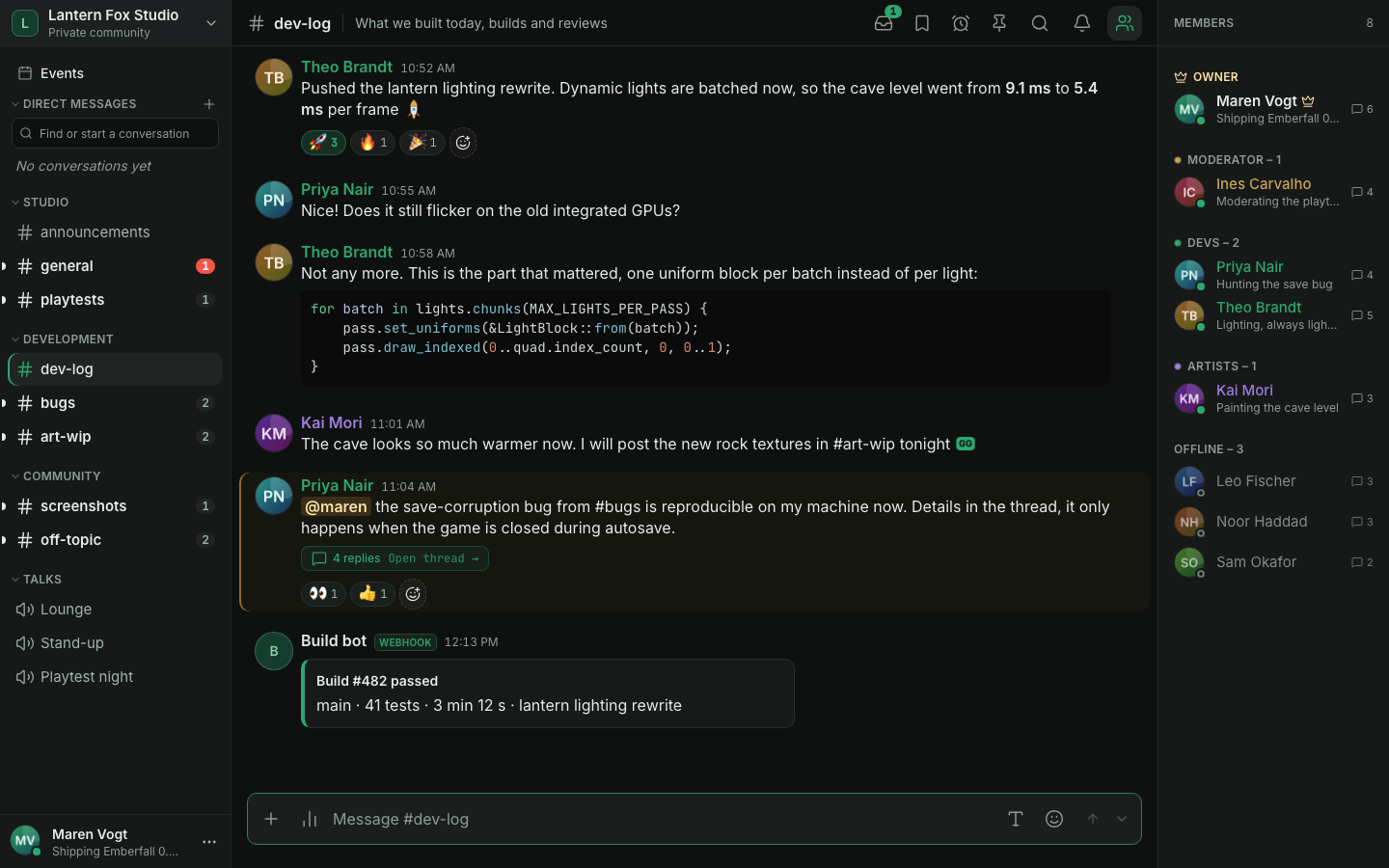
Mnema Talk is a self-hosted chat and voice server for a group that wants its own place: friends, a club, a guild or a small team. It has one community instead of many servers, private direct messages without a back door for moderators, no ringing and its own quiet, dark design. It keeps the parts that make a community server useful: roles, private channels, webhooks, bots and a call you can join with one click. Invite-only, no accounts on someone else's platform.
Download the desktop app (Beta, unsigned): Windows installer and portable ZIP, a macOS disk image and Linux AppImages and .deb packages live in their own repository; releases here carry the Docker image and the signed web bundle. Prefer the browser? Nothing to install, see Quick start to host it.
Why Mnema · Features · Quick start · Desktop (Beta) · Documentation · Security · Contributing
Why Mnema
- Yours, and small to run. One Go binary with the web app built in, plus PostgreSQL and S3-compatible storage (SeaweedFS by default): three containers on a NAS, a Raspberry Pi or a small VPS (linux/amd64 and arm64). Low idle memory, no transcoding.
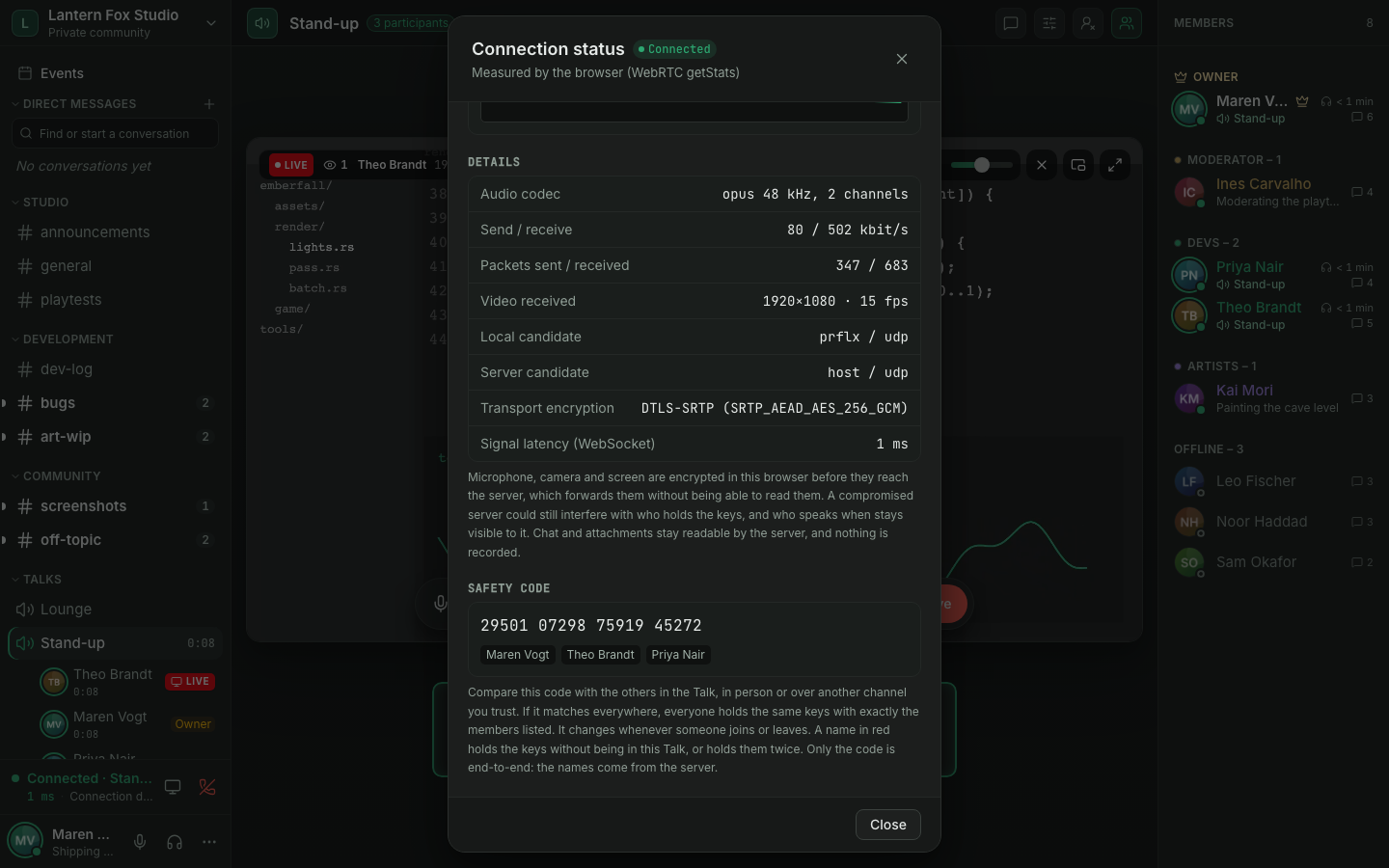
- Media is end-to-end encrypted. Microphone, camera and screen are sealed in the browser with MLS-derived keys, so an honest server that relays them cannot read them. Text messages are not end-to-end encrypted and stay readable by the server, by design.
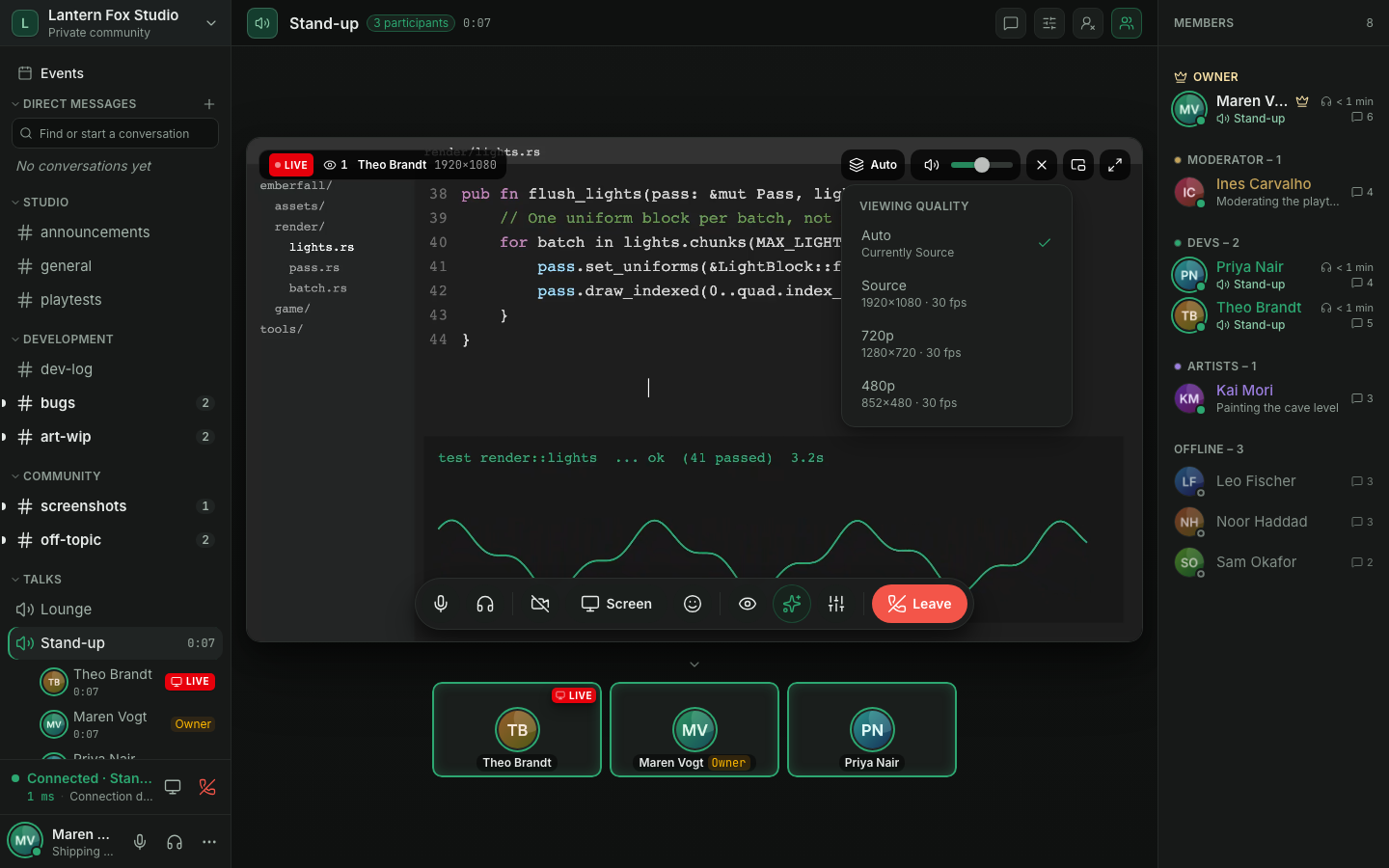
- Screen sharing built for quality. Share the source up to 4K at 60 FPS (hardware encoding in the browser, so the result depends on your machine and network). Each viewer picks a quality layer or leaves it on Auto, and watching is opt-in. Our tests use synthetic capture, not real 4K/60 hardware.
- Privacy you can check. No telemetry. The server's own outgoing calls are a STUN lookup of its public address, a clock check and the optional release check, and each can be turned off (outgoing connections). Browsers use no third-party STUN unless you configure it. Nothing is deleted or recorded unless you turn it on, and members can export and delete their own data themselves.
- Honest about its limits. The browser app is the primary client; the desktop client is Beta and unsigned; 1.0 had an internal security review, not an external audit. The status of every area is in doc/product-status.md.
Features
Talk (voice, camera, screen)
- Hangout spots. Click a Talk and you are in. A reload within 30 seconds puts you back into the call. To only read (or write in) a Talk's chat, use the speech-bubble button on the Talk's row: the Talk opens as a preview with its chat, nothing is joined and no microphone is requested until you press Join in the Talk's header. Reading needs View channels, writing Send messages; Connect is not required.
- Create-a-Talk lobbies, Stages and live reactions. Joining a lobby opens a temporary Talk named after the lobby ("Lobby 1", "Lobby 2", ...) that you lead; it disappears when it is empty. Start a Talk in a direct message opens one and invites the conversation. A Talk can be a Stage: only members with talk power speak, others raise a hand and a member with Manage stage accepts it. Members in a Talk can send emoji reactions that float over their tile. Details in doc/talks.md.
- Screen sharing up to source quality, up to 4K at 60 FPS with hardware encoding in the browser. A share is sent as the source plus smaller layers; every viewer picks a layer or leaves it on Auto, which follows the receiver reports, so each viewer is served separately. Watching is opt-in and everyone sees who watches.
- A Talk view built for long sessions. Participant grid, a stage for the share or camera you focus, full screen, picture-in-picture while you read another channel, per-person and per-stream volume, push-to-talk, noise suppression and the Talk's own chat as a resizable panel. If your microphone is on but its raw signal stays completely silent, you get a notice once per call; you can dismiss it, or turn it off in the audio settings.
- No transcoding. A Pion-based forwarding unit (SFU) copies RTP packets; see doc/architecture.md.
| A Talk where one member shares a code editor, with the viewing quality menu | The connection details with the safety code and the members holding the keys |
|---|---|
 |  |
Chat
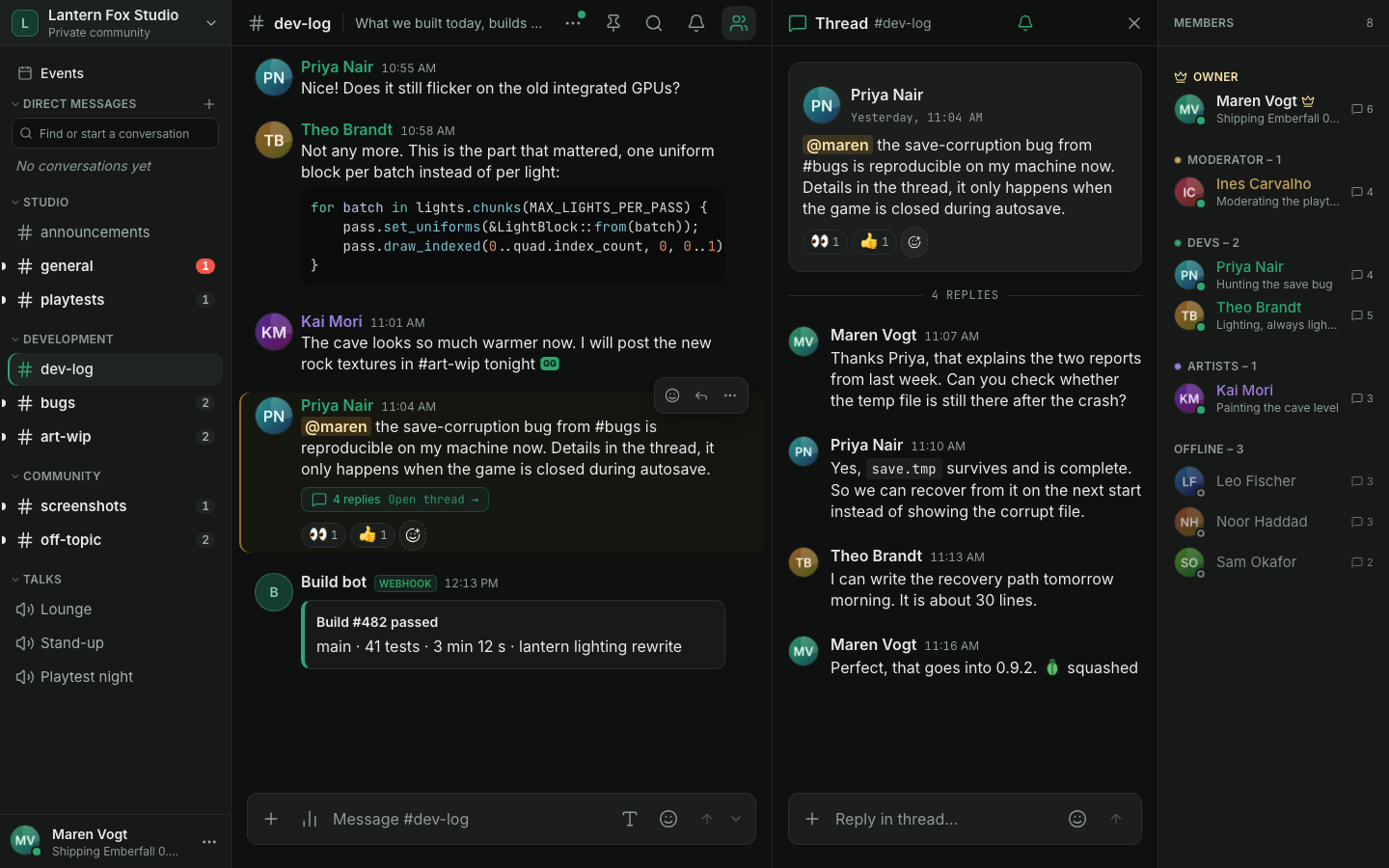
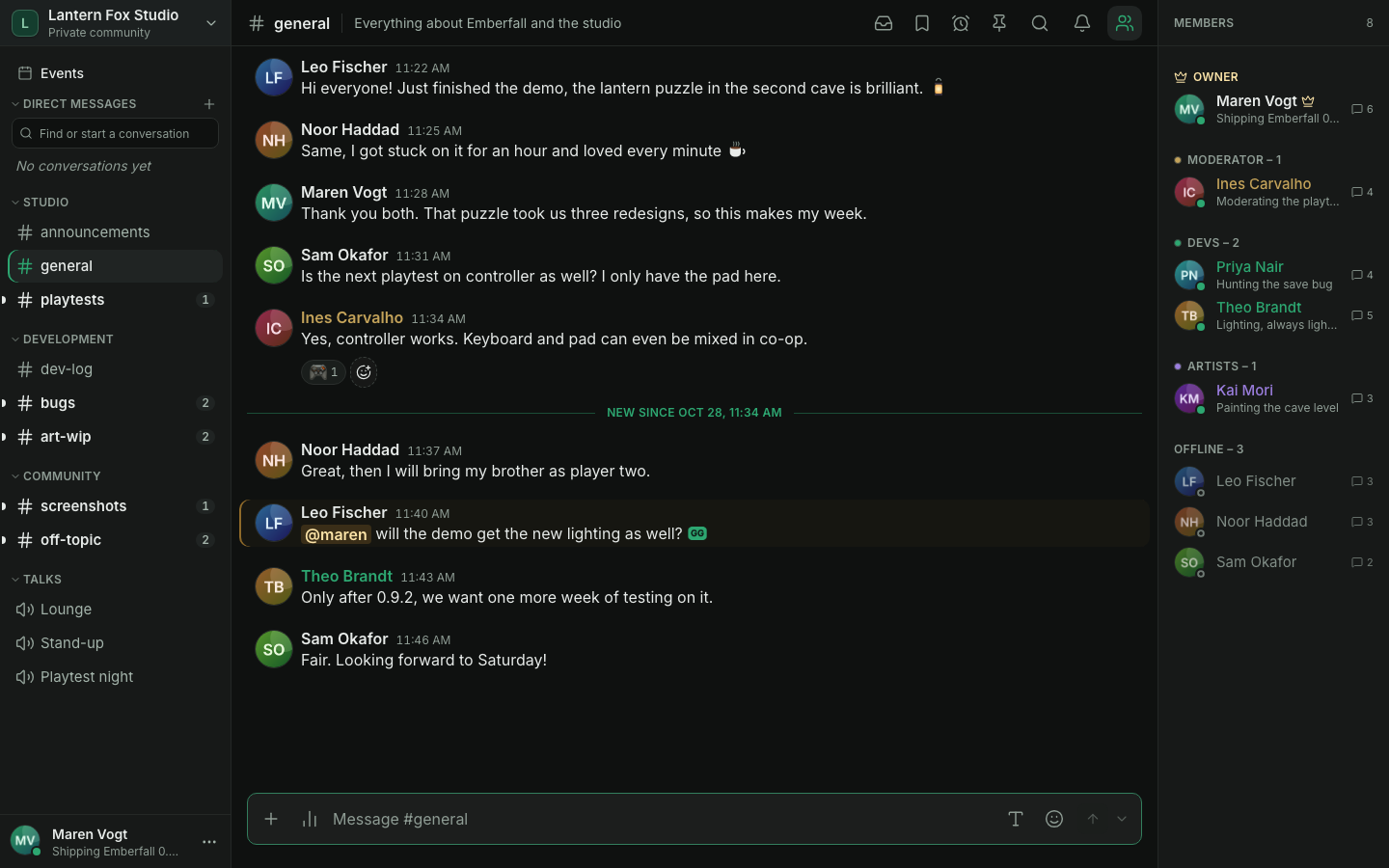
- Markdown (headings, lists, quotes, links, code blocks with syntax highlighting), replies that jump to the original (also thousands of messages back), threads, reactions, emoji, @mentions, file and image attachments, link cards, search, typing notices, unread and mention markers, per-channel notification settings and presence with a status line.
- A composer that grows with multi-line text. Paste (Ctrl/Cmd+V), drag and drop or pick up to 10 files per message: they wait in a tray above the composer (upload progress, remove, retry) and go out only when you send. Several images show as a gallery; a viewer steps through them with file name, sender, time, size and dimensions.
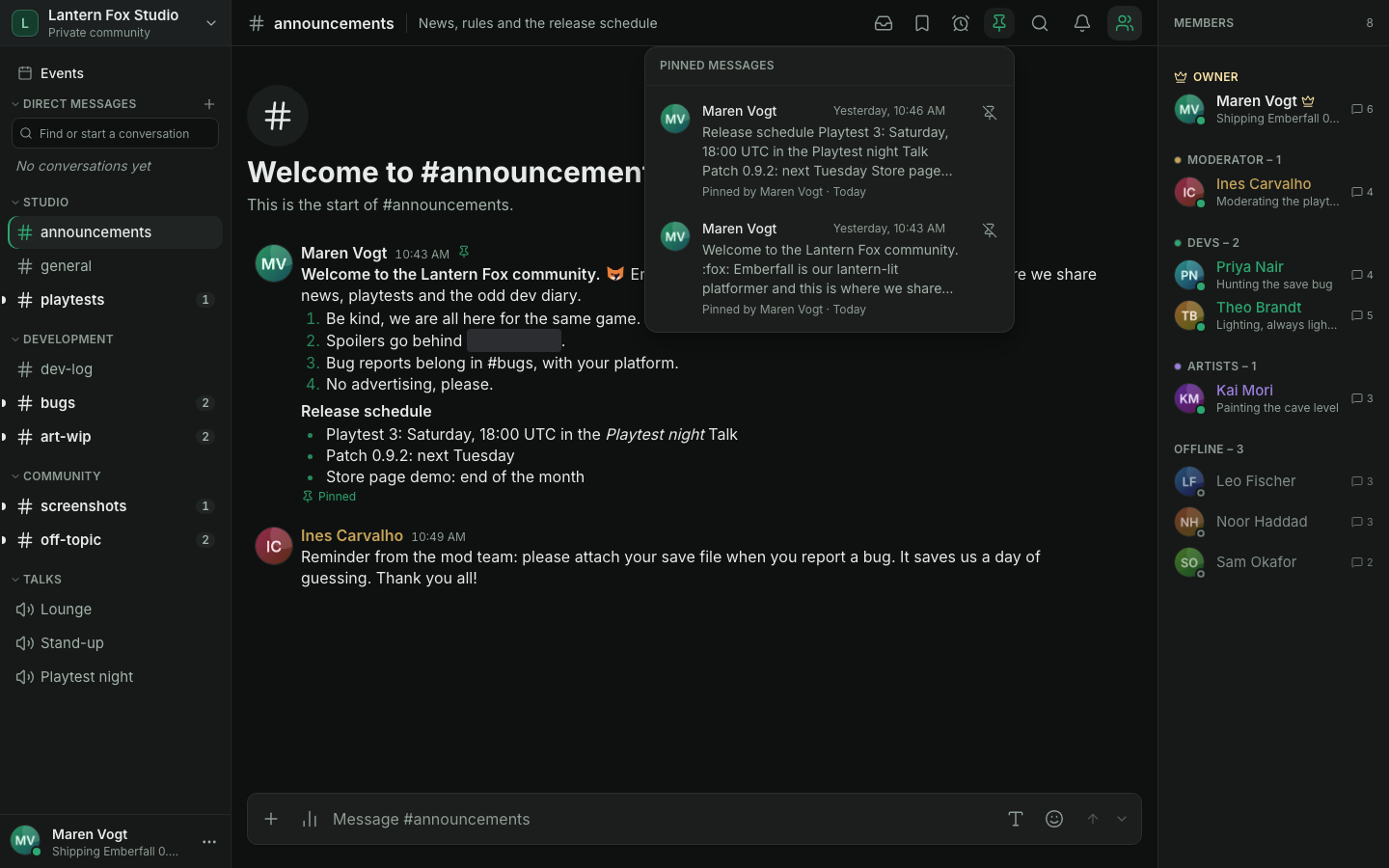
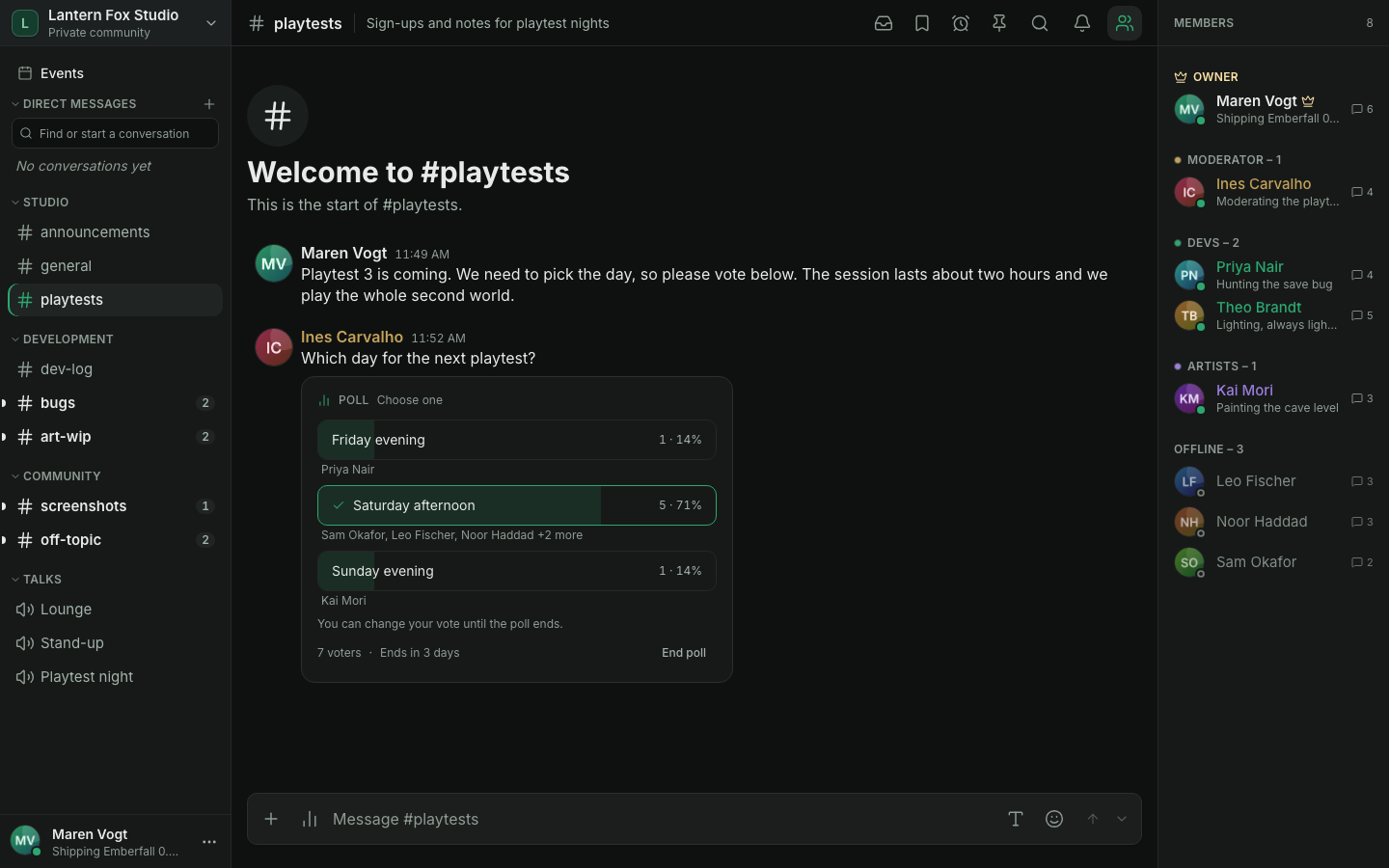
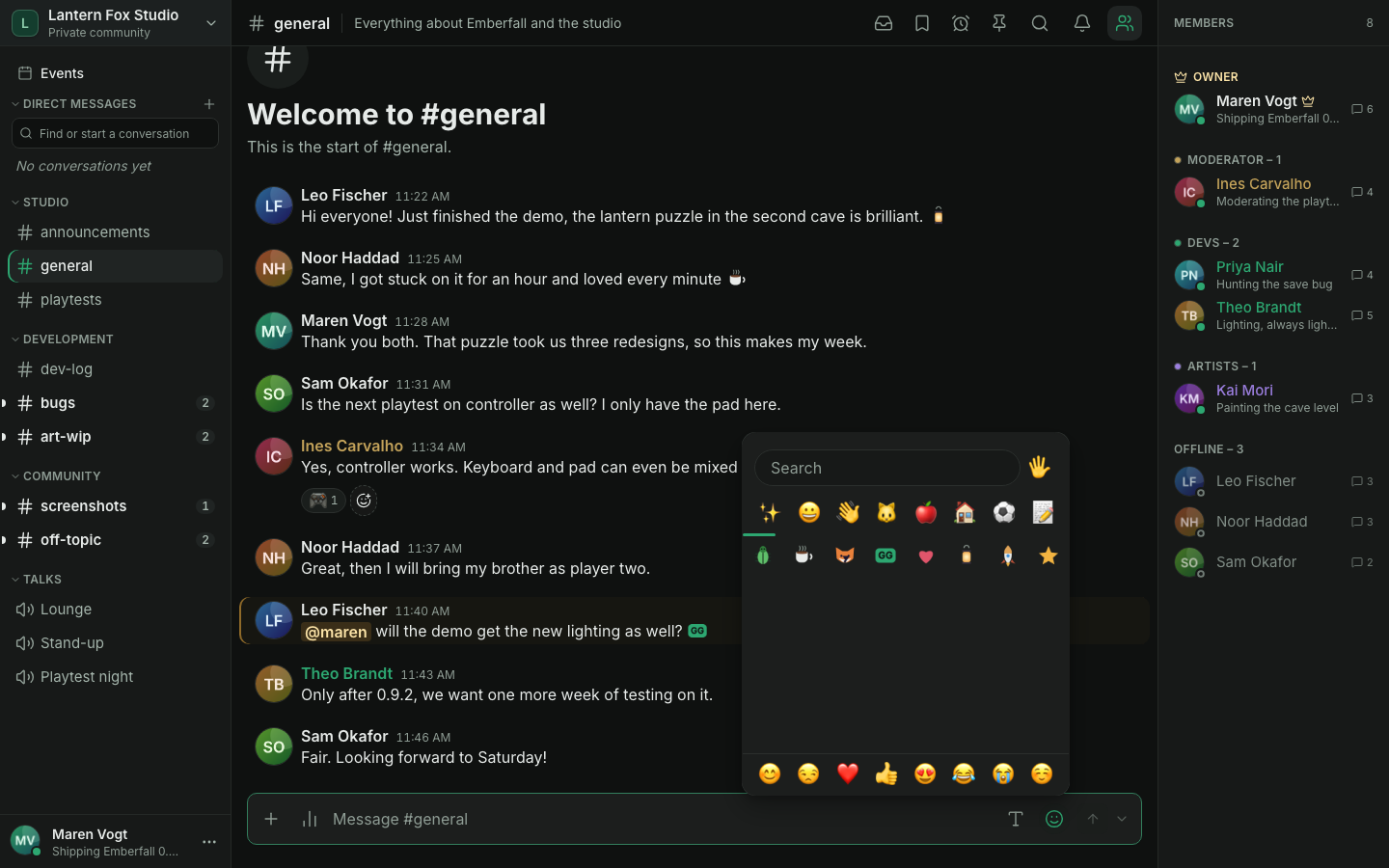
- Pinned messages (with who pinned them and when), polls, custom
emoji managed by the community (and
:shortcodesuggestions for standard emoji), edit history for moderators, drafts that survive a reload, an offline outbox (messages written offline wait, can be edited or discarded, and go out once you're back) and a jump to the first unread message. - Anonymous polls and channels that forget. An anonymous poll stores only that a member voted and how many votes each answer has, never the choice (so a vote is final). A channel can opt in to auto-delete after hours, days or weeks, of everything or only the files, or follow a community default; it is shown on the channel, audited, and never touches pinned messages or direct messages (doc/moderation.md).
- Messages with a lifetime. Send a message that the server deletes after a minute, an hour, a week or a time of your own (60 seconds to 30 days), in channels, threads and conversations; removed files keep their place as a quiet "File removed" tile (doc/timed-messages.md).
- Speaking addresses. Channels, Talks, forum posts and conversations have readable web addresses (
/c/general,/v/lounge,/c/ideas/p/new-kitchen-0f3a9c1e,/dm/alice) that survive renames; old links by id keep working (doc/upgrade.md). - Forum channels. Structured discussions with posts as cards: coloured, ordered and moderator-only tags that authors can change afterwards, required tags and guidelines per forum, search, tag filter and sorting, pinned and solved posts, locks, unread markers with a jump to the first unread reply, and a first message with formatting and files (doc/forums.md).
- Wiki. A shared handbook of pages in a tree beside Events, with a revision for every save, a history with a diff, two-click restore of an earlier version, page locks, pictures and search. Everybody reads; writing needs the Edit the wiki permission, which only roles you give it hold, so a new member cannot wipe pages (doc/wiki.md).
- Community events. Scheduled events with a description, a cover image, a location (a Talk or free text), RSVPs and a reminder 15 minutes before the start. Creating them needs the Manage events permission, which the seeded Moderator and Admin roles (every role with Timeout members) get at the upgrade. An event can have roles with places and a waitlist that moves up on its own, an event can repeat every week, every two weeks or every month (a change applies to one event or to it and the following ones), and every event has a comment thread with notices you can mute (doc/events.md).
- Saved messages and forwarding. Keep a private list of up to 1,000 messages with an optional note, or forward a message into another channel or a direct message. A forward is a reference, so it never shows more than the reader may already see. A saved message carries a small bookmark (click it to take the message off again), and the header's bookmark button opens Saved & reminders: your saved messages, searchable and sortable by channel, next to your reminders and scheduled messages.
- Status that clears itself. Set a custom status with Clear after one hour, tonight, tomorrow morning, never or a date and time of your own. Your device works out the time in your time zone; the server clears the status when it passes.
- Channel descriptions and slow mode presets. A channel's description sits next to its name (click it to read it in full) and is edited in the channel settings. Slow mode has the presets Off, 10 s, 30 s, 1 min, 5 min, 30 min and 24 h, or any value up to 24 hours in seconds, minutes or hours.
- Reminders and scheduled messages. Remind me on a message (in 20 minutes, 1 hour, 3 hours, tomorrow morning or at a time you pick) notifies you in the app and by Web Push; Send later next to the send button sends a message for you at a chosen time, in channels and direct messages. Both are private to you, are worked out in your own time zone, and are checked again when they fall due: a reminder never shows a message you can no longer see, and a scheduled message that the channel's rules refuse at that time stays as a draft instead of being posted.
- Slash commands.
/poll,/me,/shrug,/tableflip,/unflip,/spoiler,/nick,/threadand/msg(it needs Send direct messages) for members;/timeout,/banand/kickneed the matching permission. Bots can add their own (doc/bots.md). - Threads you can follow. A thread reply notifies the thread's followers: the root's author, people who replied, people mentioned in a reply and anyone who pressed Follow thread.
- Search filters for author (
from:andauthor:bot|webhook|member), channel (in:), mentions (mentions:), dates (before:,after:, andduring:for a single local day), attachments (has:file,filename:), links, embeds, polls, edited and pinned messages, one compact filter row with small pickers,"exact phrases",-excludedwords and a sort order (newest, oldest). A filter that matches nothing is explained, not ignored. - Notification settings per channel, category and server. Right-click a
channel or a category header (or press Shift+F10) and choose
Notifications: all messages, mentions only, nothing, or "use the
category / server default", and Mute for... one hour, eight hours, a day
or until you turn it back on. Notification settings in the server menu
(and the account menu) set your default for the whole server, mute the
server, and can ignore
@alland@here. A channel's own setting beats its category's, which beats the server default; a small marker in the sidebar shows a muted channel or one that only tells you about mentions. Push, badges and mention counts follow the level that applies. - Installable web app with Web Push notifications, and a layout for phones.
- Direct messages, blocking and reports. Private conversations of two to ten members that moderators cannot browse, blocking that the other member is never told about, and a way to report a message to the moderators (see Direct messages, blocking and reports below).
- Rules and onboarding that new members accept before they write.
- One community with categories, text channels and Talks. Every Talk has its own text chat.
- Upload size is up to the Owner: a global limit and an optional limit per
role, within the
MAX_UPLOAD_SIZE_MBceiling. - German and English, chosen per account.
| A thread under a message | Unread divider and an @mention |
|---|---|
 |  |
| Pinned rules and release schedule | A poll with votes |
|---|---|
 |  |
| The studio's own emoji | The phone layout |
|---|---|
 | 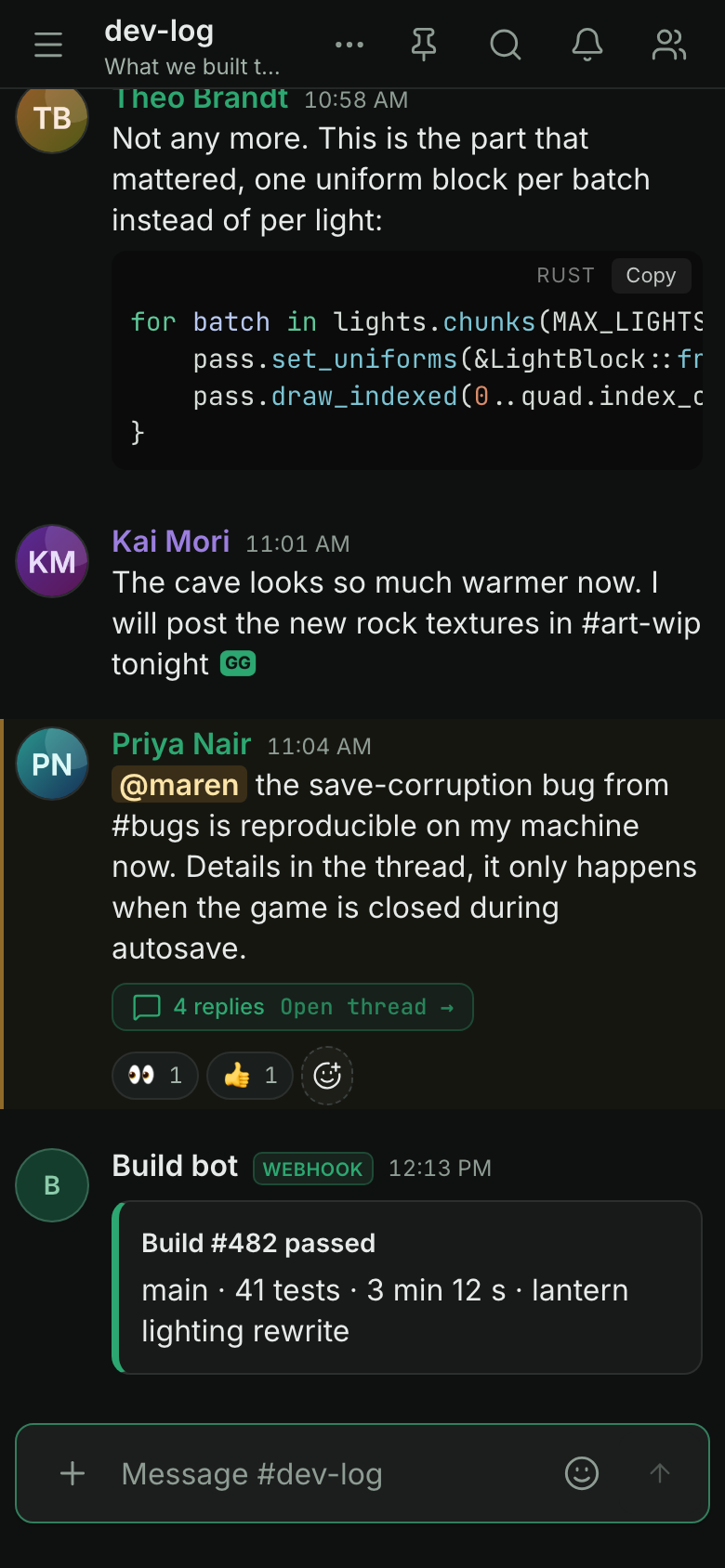 |
Direct messages, blocking and reports
- Start a conversation with the + next to "Direct messages" at the top of the sidebar (on a phone: in the channel drawer), or with Message on a member's profile card or in their menu. One member makes a conversation of two, several make a group of up to ten people. Members added to a group later read its whole history. A conversation of two cannot be left (block the other member instead); a group can, from the conversation's info.
- The list shows each conversation with its face (and presence), the start of the latest message (with "You:" or, in a group, who wrote it), when, and what is new: a number for unread messages, a red @ number for mentions. Groups show two faces and how many people are in them. The section folds away with the arrow next to its name, and stays folded on all your devices. The box at the top (Find or start a conversation) finds conversations and members; Enter opens the first match. Ctrl/Cmd+K offers matching conversations too.
- Close a conversation with the x on its row or Close conversation in its menu (right-click, or the three dots on a phone). Nothing is deleted; the conversation comes back with the next message, or when you open it from the search. Favourites: the star puts a conversation at the top, in its own section (up to 25); drag to reorder, or use Move up and Move down in the menu (Alt+Arrow keys on a focused row). Favourites stay in the list and follow you to every device.
- Mute one conversation from the bell in its header or its menu, or all of them with Mute all direct messages under Settings > Privacy > Direct messages: no sound, no notification and no highlight, but unread messages still count. A conversation you muted or unmuted yourself keeps its own setting.
- Who may write to you is your choice in the same place: everyone (the default) or nobody. It only decides who can start a conversation; existing ones go on.
- Block a member from their profile card, their menu, a message's menu or the conversation info. Their messages fold into "Blocked message" (one click shows it), they cause no mentions or notifications for you (in any conversation, group included, their messages leave unread counts, mentions and last activity untouched), and a conversation of two with them stops working in both directions. They are not told. The list of blocked members, with a way to unblock, is under Settings > Privacy.
- Report a message from its menu (Report message) with a reason and an optional note. The moderators see a copy of the message and the ones around it in Admin > Reports, which needs the permission Manage reports; for a direct message this copy is the only part of it they can read. The author is not told.
- The Owner and Administrators can switch direct messages off for the community under Admin > Sign-in & messages: nothing new can then be started or written, and existing conversations stay readable. A 1.0.x server has none of this, and the web app hides it there.
Supported browsers
Chromium-based browsers (Chrome, Edge 137+), Safari 17+ (including iOS 17+ and the installed web app) and Firefox 129+ run the whole app. A browser that cannot seal media does not join a Talk at all, it never sends unsealed media. CI runs the full end-to-end suite and the phone layout in Chromium, every spec that needs no call in WebKit, and a subset in Firefox. Calls in WebKit run in separate macOS jobs (not a required check). Nothing is tested on real iOS or Android hardware. Details: Browsers in product-status.md.
Encryption and privacy
Media is end-to-end encrypted in the browser with keys from an MLS group: microphone, camera, screen video and screen audio. Keys rotate every 30 minutes, every sealed frame is signed by its sender, and a safety code in the connection details lets members compare keys out of band. The old media frame format 2 is gone in 1.2: only format 3 is sealed or opened, so a client that old must be reloaded or updated (doc/upgrade.md).
Invite-only. There is no public registration. Admins can change an invite's expiry and use limit later, or remove them. An optional vanity link (
/join/your-community) lets the Owner offer an open door: while active, anyone with the link can sign up without an individual code (doc/operations.md).Accounts you control. Optional e-mail (password reset needs SMTP), two-factor sign-in with recovery codes, and self-service export and deletion of your own data.
Hardened by default:
HttpOnlysession cookies with revocation, CSRF origin check, strict CSP, upload content sniffing, rate limits and login lockout, an SSRF guard for outgoing webhooks, and an app port that only listens on loopback until you say otherwise (see the FAQ).Privacy-minded: no telemetry; the server's own outgoing calls (a STUN lookup of its public address, a clock check, the optional release check) can each be turned off; browsers use no third-party STUN unless configured; no automatic data deletion unless enabled (
MEDIA_RETENTION_DAYS=0).Release images are signed with cosign and ship provenance and an SBOM. They are published on GHCR and mirrored on Docker Hub (
docker.io/mnemaxyz/mnema-talk).
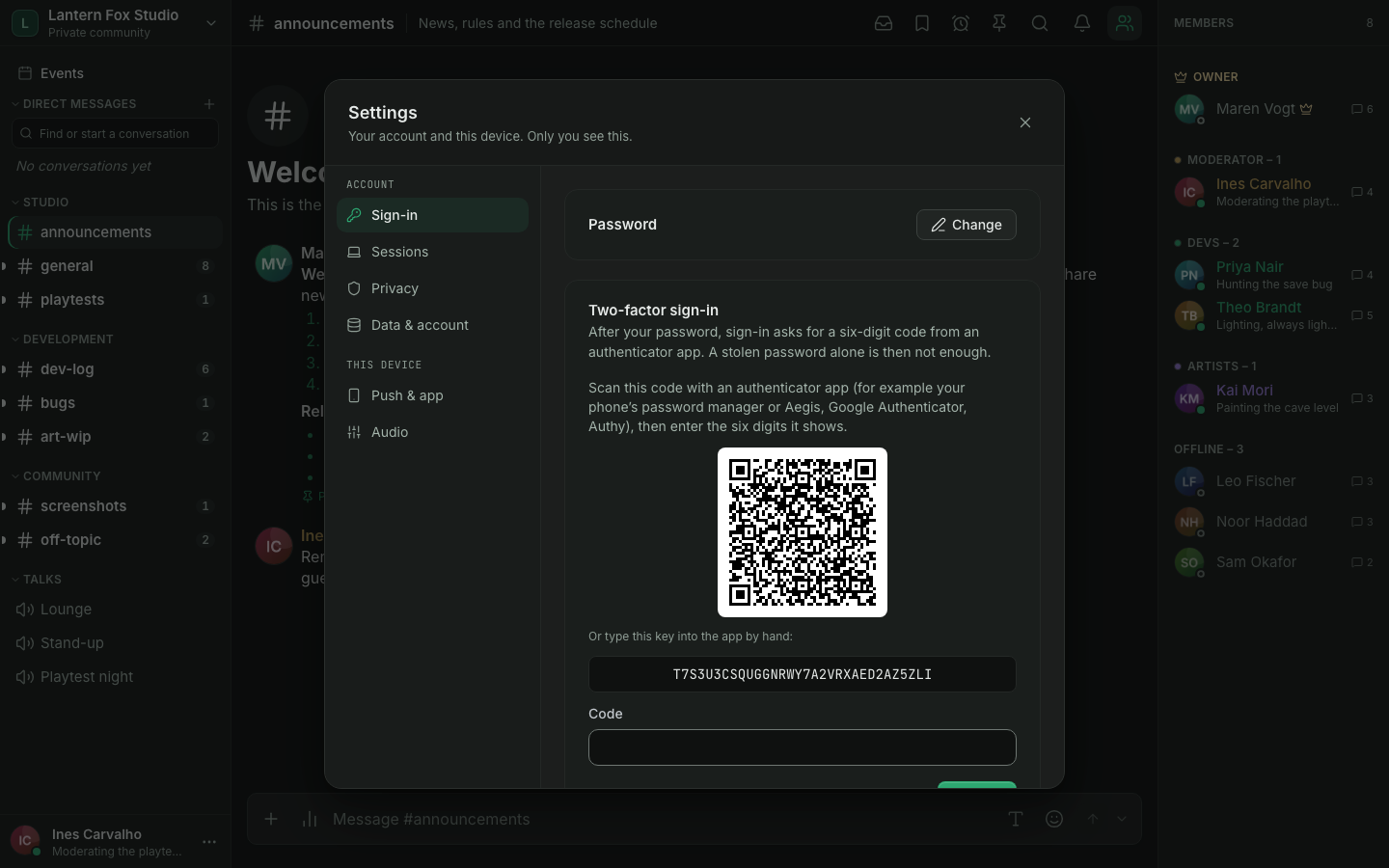
Administration
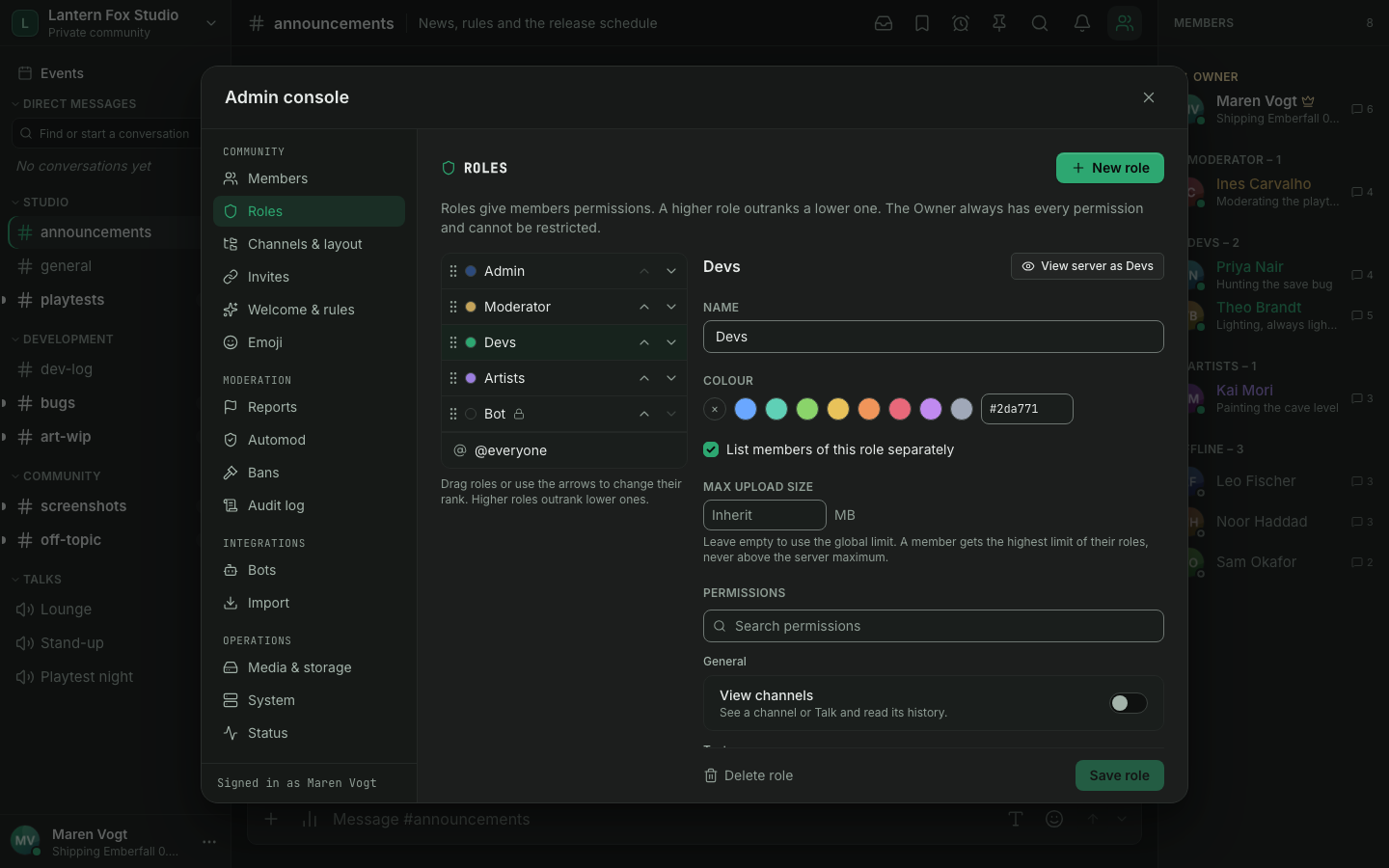
- An Owner and roles. The Owner can do everything and cannot be restricted by anyone. Below them, custom roles hold permissions, and categories and channels can allow or deny them per role or member, which makes private channels and Talks. Changes apply live, also in a call.
- Moderation. Timeouts (a minute to four weeks, lifted automatically, enforced in REST, the hub and the SFU), bans with reason and duration, and kicking, all bound by the role hierarchy and written to the audit log.
- Automod and moderation history. Automod is on by default with conservative rules (mention spam, links from accounts younger than 10 minutes, raid protection) plus optional word and link lists; hits land in the reports queue. Members with Manage reports see a per-member history and keep private moderator notes (doc/moderation.md).
- Sessions and view-as-role. Members see and end their own sessions (Where you are signed in), and a session unused for 7 days (adjustable) signs out. In the role editor, View server as previews what a role sees.
- Audit log. An append-only record of administrative and moderation
actions with who, what, before and after, filterable in the admin console.
It also holds deleted message text and Talk presence history, so mention it
in your privacy notice;
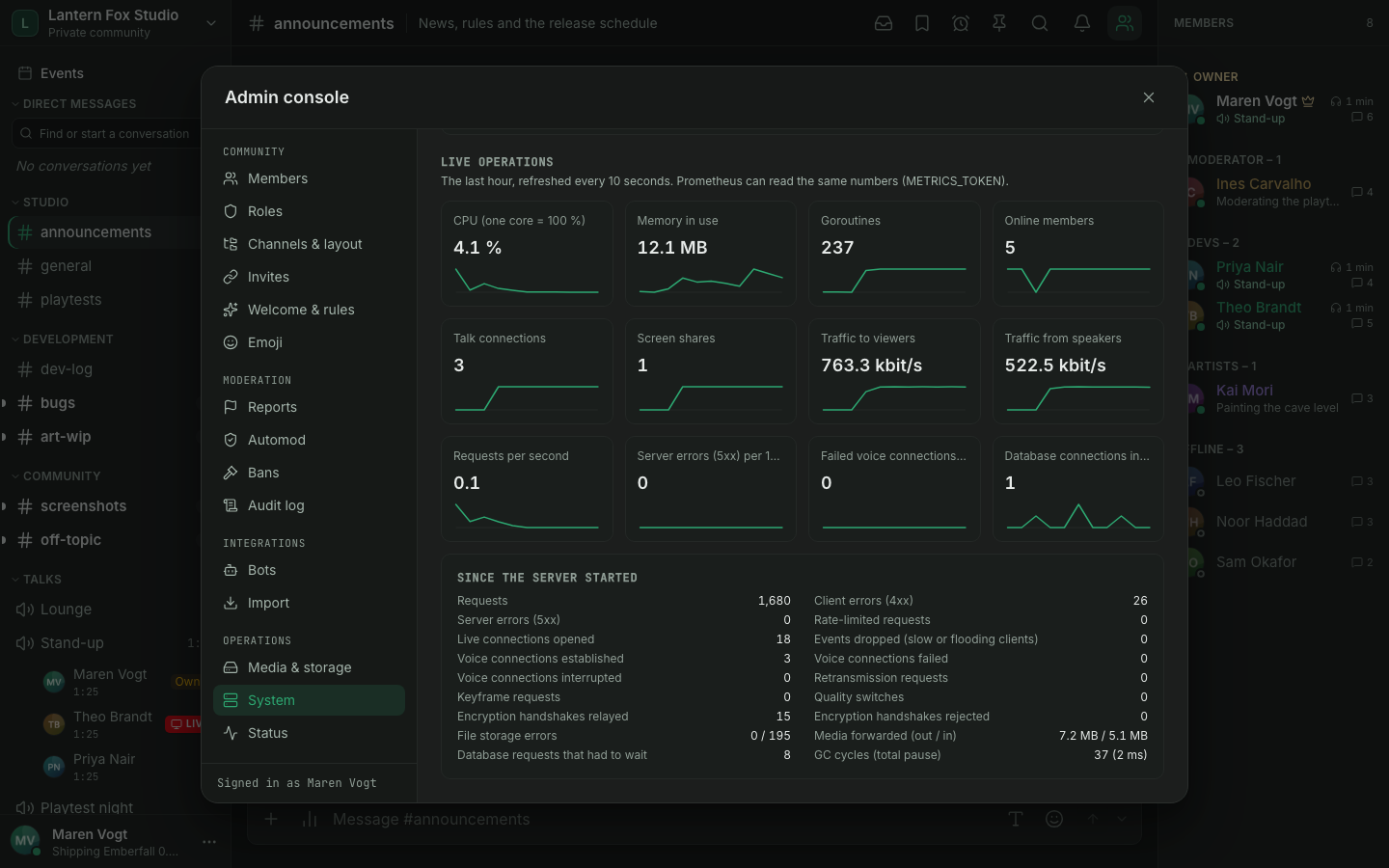
AUDIT_RETENTION_DAYS=0keeps it forever. - Admin console for members (disable, kick, reset password, revoke sessions), roles, channel layout, invites, media and storage, and a System tab with health and a live operator view, and a Status page (version, updates, database, storage, backups and live activity; its checks follow the display language). The sidebar supports drag and drop with undo.
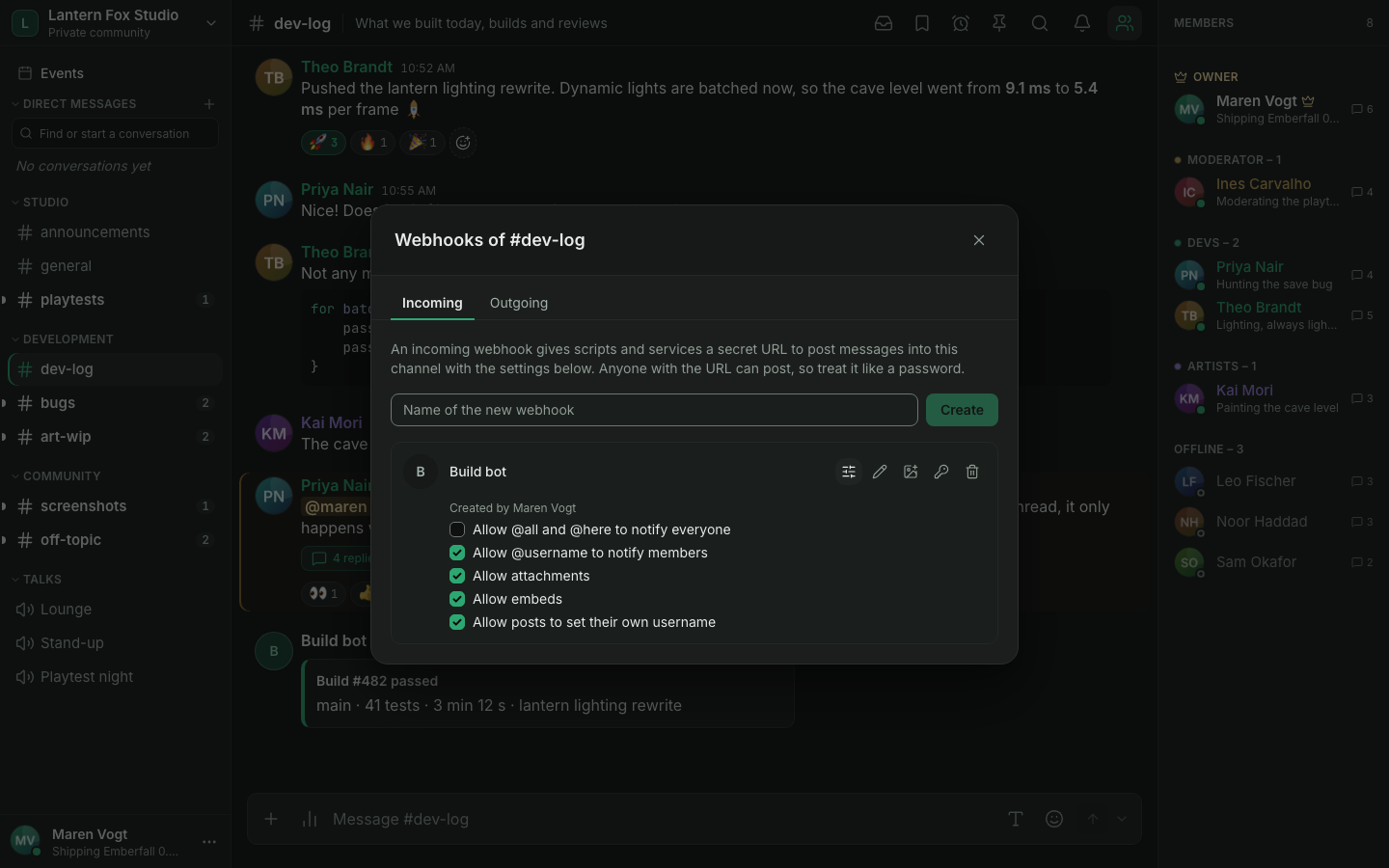
| Roles and permissions | Webhook settings |
|---|---|
 |  |
Operations
- One binary, three containers:
app, PostgreSQL 18 and SeaweedFS (any S3 store works). Low idle memory; images for linux/amd64 and linux/arm64, so a NAS or a Raspberry Pi works. - Observable: Prometheus metrics at
/api/metrics, a live operator view in the System tab, and alert rules you can copy (doc/operations.md). - Recoverable: backup and restore scripts, plus drills in CI that prove them: backup to restore, release-to-release upgrade and the PostgreSQL move.
- Measured:
make load-testreproduces a 100-member call with real decrypting browsers and lightweight viewers (loadtest/README.md). On a 4-core Intel N100 home server, 1,000 concurrent chat sessions used about 0.7 CPU cores (95th percentile delivery 84 ms) and one screen share to 99 members about 0.6 cores; see doc/benchmark.md for the method and limits. - A TURN relay built into the server for members behind firewalls that block
UDP (on by default while no external TURN is configured), an optional
coturnprofile and a self-update sidecar (autoupdateprofile, off by default).
Quick start
New to self-hosting? Follow the quick start: one path for a NAS, a home server or a VPS, with every term explained and a way to check each step. In short, you need:
- a machine that runs Docker with Compose (a Synology or Unraid NAS, a Raspberry Pi 4/5, any Linux box or a small VPS); what size you need depends on the Talks you run, see Hardware by size,
- a domain name with HTTPS, set up through a reverse proxy (a small web server in front of the app that holds the certificate; how),
- three open ports: TCP 443 for the site, and UDP 50000-50050 plus port 3479 for voice (voice and video do not travel through the proxy; the quick start explains why).
No clone and no build are needed. The setup assistant asks a few questions and writes the configuration, including every secret:
mkdir mnema-talk && cd mnema-talk
docker run --rm -it --user "$(id -u):$(id -g)" -v "$PWD:/out" ghcr.io/mnema-xyz/mnema-talk setup
docker compose up -d --wait
Then open your address and sign in as the Owner (default user name admin,
password printed by the assistant; ADMIN_INITIAL_PASSWORD only creates the
account on the first start, so remove it from .env afterwards) and create
invite codes for your members. Admin console > Status checks the setup and has a
"Test my connection" button that tells you whether voice reaches your server from
outside.
Just want to look around first? The quick start has a five-minute try-out on one computer. Is it a fit for your line? Behind CGNAT or DS-Lite you cannot host at home; see Can I host at home?.
Where to go next:
| If you want to | Read |
|---|---|
| Understand a word (STUN, TURN, NAT, WebSocket ...) | Glossary |
| Set up HTTPS (Caddy, Synology, Nginx Proxy Manager, nginx) | doc/reverse-proxy.md |
| Fix "No media connection" or "Connection lost" | doc/troubleshooting-voice.md |
| Ask about domains, dynamic DNS, Cloudflare, tunnels, a Pi | doc/faq.md |
| Open the right ports (router table) | doc/ports.md |
| Install by hand instead of the assistant | Fresh install |
| Update or back up | doc/updating.md |
The same image is also on Docker Hub as docker.io/mnemaxyz/mnema-talk (the older docker.io/msch128/mnema-talk keeps working); GHCR
stays the primary reference (verify the signature).
Building from source is for development; see Development.
Two defaults to know about:
PUBLISH_ADDRis127.0.0.1: the app port is reachable only from the machine itself, which is what a reverse proxy on the same machine needs. Set it to a LAN address when the proxy runs elsewhere (FAQ).TRUSTED_PROXY_CIDRSis empty, which trusts loopback only. A reverse proxy on another machine or in a container must be listed here by address, otherwise all members share the proxy's IP for rate limits and login lockout. The Status tab names the value to use. Production refuses a range wider than a small network; see the upgrade note.
Upgrades and backups
Take a backup before every update (scripts/backup.sh; restore with
scripts/restore.sh, which can verify a backup in a disposable container
first). Migrations run at startup and are forward-only. The procedure is on one
page, doc/updating.md; per-version notes and the rollback are
in doc/upgrade.md. Admins see new releases in the System tab; an
optional update button needs the autoupdate profile.
Security and privacy
In a few honest sentences:
- Media (microphone, camera, screen video and screen audio) is encrypted in the browser with MLS-derived keys, so an honest server, and anyone who only sees the forwarded packets, cannot read it. The server still serves the web app's code and relays the key exchange, so a malicious or compromised server could subvert it; members who compare the safety code notice most such attacks. Who speaks when, and who is in which Talk, stays visible to the server.
- Text messages and attachments are readable by the server, as on any hosted chat service. Nothing is recorded and nothing is deleted automatically unless you turn retention on.
- The desktop client removes server-served JavaScript: it runs a signed web bundle that it verifies itself, so the server supplies data, never code.
- Transport is HTTPS and DTLS-SRTP. 1.0 has had an internal six-lane security review, not an external audit (SECURITY.md).
The full model, its limits and how to report a vulnerability privately are in SECURITY.md; the product's test scope is in doc/product-status.md.
Desktop (Beta)
The desktop client for Windows,
macOS (Apple silicon) and Linux (Beta, unsigned; Windows installer and
portable ZIP, macOS disk image, Linux AppImage and .deb) wraps the same web app. Instead of loading code from
your server it runs a signed bundle that it verifies on every start, with
rollback protection and a security floor, and keeps the session in the OS
keychain. On Windows it adds a gaming sidepeek and an Alt+M overlay for your Talk. The
browser app remains the primary, fully supported client. The installer is
not code-signed (no paid certificate), so Windows SmartScreen warns on first
start (macOS shows a Gatekeeper warning); the steps are in
doc/desktop-app.md. Details
and the threat model: doc/desktop-trusted-client.md.
Documentation
| Topic | Where |
|---|---|
| Read first when updating: what 1.0 promises and what to do before updating; every later release is in the upgrade notes | doc/release-notes-1.0.md, doc/upgrade.md |
| Components, data flow, capacity | doc/architecture.md |
| Configuration, reverse proxy, TURN, backups, metrics and alerts, troubleshooting | doc/operations.md |
| Quick start (setup assistant), platform notes (Synology, Unraid, VPS), HTTPS and reverse proxy | doc/quick-start.md, doc/platform-notes.md, doc/reverse-proxy.md |
| Voice and connection problems, FAQ | doc/troubleshooting-voice.md, doc/faq.md |
| Network ports and outbound connections | doc/ports.md |
| Updating, image tags | doc/updating.md |
| Manual install, platforms | doc/deployment.md |
| Upgrade notes per version, rollback | doc/upgrade.md |
| Roles, permissions and private channels | doc/roles-and-permissions.md |
| Product vocabulary (en/de) used in the UI and docs, and voice and network terms | doc/glossary.md |
| Moderation and the audit log | doc/moderation.md |
| Invites, and members creating them | doc/invites.md |
| Messages with a lifetime, auto-delete, removed files | doc/timed-messages.md |
| Talks and Stages, forums, events, the wiki and the layout import from a template | doc/talks.md, doc/forums.md, doc/events.md, doc/wiki.md, doc/import.md |
| Webhooks (incoming and outgoing) | doc/webhooks.md |
| Bots, the bot API and gateway | doc/bots.md |
| Bot SDK quick start (TypeScript and Go) and recipes | doc/bot-sdk-quickstart.md, doc/bot-recipes.md |
| Gateway events and their payloads, allowed mentions | doc/gateway-events.md, doc/allowed-mentions.md |
| What is public API and how it may change (1.0 stability promise) | doc/api-stability.md |
| Where media keys live in the browser | SECURITY.md |
| Web client code (TypeScript) | doc/typescript.md |
| Trusted desktop client, gaming overlay | doc/desktop-trusted-client.md, doc/desktop-app.md |
| Load test, benchmark | loadtest/README.md, doc/benchmark.md |
| Product status and acceptance | doc/product-status.md |
| Building, testing, CI, releases | doc/development.md |
| Contributing, conduct and getting help | CONTRIBUTING.md, CODE_OF_CONDUCT.md, SUPPORT.md |
| API reference | API_DOCS_ENABLED=true serves it at /api/docs to signed-in members |
Development
Requirements: Go (see go.mod), Node 26 and npm, Python 3, Docker, GNU make. make help
lists every target.
make install-hooks      # pre-commit: gitleaks + gofmt
make dev                # postgres + seaweedfs in Docker, server on :8080 (reads .env)
cd web && npm run dev   # Vite on :3000, proxies /api to :8080
make check              # everything CI runs
make e2e                # Playwright against the real binary
Stack: Go, chi, pgx, Pion WebRTC; Vue 3, Pinia, Vite and Tailwind CSS 4 in strict TypeScript; PostgreSQL 18; S3-compatible storage. More in doc/development.md.
Contributing
Pull requests are welcome. CONTRIBUTING.md has the setup
(make dev), the quality gates, the commit conventions and how pull requests
go into release branches; AGENTS.md holds the full rules and
applies to people and AI agents alike. The repository is public: never commit
secrets, databases or uploads. Please follow the
Code of Conduct. Questions: SUPPORT.md.
Report vulnerabilities privately as described in SECURITY.md.
License
Copyright (C) 2026 the Mnema project.
Mnema Talk is licensed under the
GNU Affero General Public License v3.0 (AGPL-3.0-only). You may
use, change and share it, also commercially, as long as you publish the
complete source code of your version under the same license. That includes
running a changed version as a network service: its users must be able to get
the source (the legal dialog in the app links to it; point SOURCE_URL in
web/src/shared/lib/thirdParty.ts at your own repository).
Bot SDKs: the bot SDKs (TypeScript and Go) are published under the MIT License, so bots built with them can use any license.
Commercial license: to use Mnema Talk, or parts of it, without the AGPL obligations (for example in a closed-source product or service), get a separate commercial license from the copyright holder. Contact contact@mnema.xyz.
Contributions are accepted under the AGPL-3.0, and their authors agree that the Mnema project maintainers may also distribute them under a commercial license. Contributions to the bot SDK repositories are accepted under the MIT License.